Download BPTracker Now – Blood Pressure Record Manager, Health & Fitness, Free Android App
Overview
BPTracker Now is a personal blood pressure record manager designed for individuals seeking to monitor their cardiovascular health through consistent tracking of blood pressure and blood sugar levels. Developed by Sonwy Owl, the application falls within the Lifestyle category, specifically under Health & Fitness. Its primary purpose is to serve as a digital log for users to record, review, and analyze their blood pressure readings over time. The app is particularly suited for individuals managing hypertension, those at risk of developing high blood pressure, or anyone aiming to maintain a healthier lifestyle through proactive health monitoring.
By enabling users to save, edit, and track multiple readings from a blood pressure monitor, BPTracker Now helps identify patterns and trends in daily health data. The app supports the input of multiple heart rate and blood pressure values, which enhances its utility for users who take frequent readings. It also includes educational content about blood pressure, offering reference material on definitions, causes, and preventive strategies. However, the developer emphasizes that the app does not measure blood pressure and should not be used as a substitute for professional medical equipment or clinical advice.
Real-world usage scenarios include daily self-monitoring at home, tracking changes before and after lifestyle adjustments, and preparing for medical consultations with organized data. The app functions entirely offline, allowing users to record readings without internet access—a key advantage for consistent use in various environments. It is available for free on the Google Play Store, making it accessible to a broad audience.
Key Features & Capabilities
- Multi-Reading Input: Allows users to enter multiple blood pressure and heart rate values from a BP monitor, supporting comprehensive data logging over time.
- Historical Data Tracking: Maintains a detailed record of past readings, enabling users to visualize trends and identify fluctuations in blood pressure levels.
- Range Value Visualization: Displays blood pressure readings in relation to standard health ranges (normal, elevated, high), helping users understand their current status at a glance.
- Customizable Reminders: Features an in-app reminder system to prompt users to take readings at regular intervals, improving consistency in monitoring.
- Report Generation: Enables users to generate summaries of their data for sharing with healthcare providers during appointments.
- Unit Flexibility: Supports both mmHg and kPa units, accommodating different regional and personal preferences.
- Offline Functionality: Operates fully without requiring an internet connection, ensuring uninterrupted use in any location.
- Educational Resources: Provides informative content about blood pressure, including definitions, causes, and prevention methods for user awareness.
These features collectively support users in maintaining an organized health log, improving self-awareness, and enhancing communication with medical professionals. The app’s design prioritizes usability, allowing users to record readings quickly and review historical data with minimal effort. It is especially beneficial for seniors and individuals with limited technical experience due to its intuitive layout and clear navigation.
User Interface, Workflow & Performance
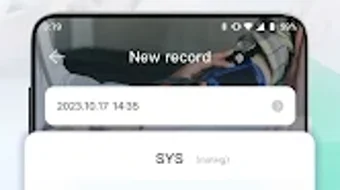
BPTracker Now features a clean and modern interface designed for ease of use across all age groups. The layout is structured around clear icons, labeled sections, and logical navigation paths, minimizing the learning curve for new users. Key actions—such as adding a new reading, viewing past entries, or accessing reports—are accessible through straightforward menus and minimal taps.
The workflow is optimized for speed and efficiency. Users can input data in a few steps, with the option to save entries instantly and review them later. The app’s responsiveness is consistent with typical Android applications, offering quick load times and smooth transitions between screens. However, exact performance details such as CPU or RAM usage were not specified by the developer.
Stability and reliability are emphasized in the app’s design, with reports indicating minimal crashes or errors during regular use. The developer did not provide additional system requirements or performance benchmarks. General software behavior suggests that the app maintains low resource consumption, aligning with its lightweight nature. Users can expect a stable experience during routine data entry and review sessions.
Compatibility & System Requirements
BPTracker Now is designed for Android devices and is available on the Google Play Store. The developer did not specify exact system requirements, including minimum OS version or hardware specifications. Compatibility information is limited to the platform, which is Android.
The app’s installation size is not disclosed in the provided data. However, given its description as a lightweight utility with minimal impact on device performance, it is likely optimized for low-end and mid-range devices. The app does not require internet access to function, which enhances its usability across various network conditions.
Users should note that the app is not compatible with iOS devices. For those using Apple platforms, alternative solutions must be considered. The developer did not provide information on support for tablets, wearables, or other form factors.
Pros and Cons
Pros
- Free to download and use with no ads or in-app purchases
- Supports both mmHg and kPa units for flexible data entry
- Functions entirely offline, ideal for consistent use without connectivity
- Intuitive interface suitable for seniors and non-technical users
- Includes educational content about blood pressure and health
- Offers customizable reminders for regular monitoring
- Allows report generation for sharing with healthcare providers
- Designed with privacy and data security in mind
Cons
- Not compatible with iOS or other non-Android platforms
- Does not measure blood pressure—requires external device
- Exact system requirements and performance metrics not provided
- May lack advanced analytics or integration with health ecosystems
- App availability limited to Google Play Store only
FAQ Section
Is BPTracker Now compatible with iOS devices?
BPTracker Now is currently available only for Android devices and is not compatible with iOS platforms.
Can I use BPTracker Now without an internet connection?
Yes, the app functions fully offline, allowing users to record and review blood pressure readings without requiring an internet connection.
Does BPTracker Now measure blood pressure?
No, the app does not measure blood pressure. It is designed as a record-keeping tool and should be used in conjunction with a physical blood pressure monitor.
Is my health data secure in BPTracker Now?
The app is designed with privacy protection in mind. It does not collect personal health data without consent and uses encryption to safeguard user information.
How often should I update BPTracker Now?
The developer regularly updates the app to improve functionality and user experience. Users are encouraged to keep the app updated via the Google Play Store.
Final Thoughts
BPTracker Now stands out as a reliable, free, and user-friendly tool for individuals committed to monitoring their blood pressure. Its clean interface, offline functionality, and educational resources make it an effective companion for home health management. While it does not replace medical devices or professional advice, it provides a structured way to track vital health indicators and share data with healthcare providers.
It is particularly beneficial for adults, seniors, and those managing hypertension or seeking preventive health strategies. The app’s focus on simplicity, privacy, and accessibility ensures a trustworthy experience for users of all technical backgrounds.
Download BPTracker Now now to take control of your cardiovascular health with confidence.


